Disclosure: YODA COIN may earn a commission if you sign up with our referral code or link, at no extra cost to you. Read our disclaimer.
In this video
YouTube titles are written for search. The new-user rewards come from BingX, not from the code.
What is the BingX referral code?
A BingX referral code is a short invite code that links a new account to the person who shared it. Ours is CHUCHU, and it’s the code we use in 2026. You type it once, in the optional Referral Code field at sign-up (BingX sign-up FAQ, May 2023, checked 1 October 2026).
USDT (Tether) is a stablecoin, a coin designed to stay close to one US dollar. Futures are contracts that let you bet on a coin’s price going up or down without owning it. They often use leverage, which means trading with borrowed money, so they can lose you money fast.
A fee rebate is part of your trading fees paid back to you. Linking your account to us has three effects, all set by BingX’s own rules:
- We earn a commission. BingX pays referrers part of the trading fees their friends pay. Its referral program starts at 10% and reaches 20% at Lv2 (BingX referral program, checked 1 October 2026). Affiliates, people BingX accepts into its partner program after an application, can earn up to 50% (BingX affiliate program, checked September 2026). That share comes out of fees you pay anyway.
- Your fee rates stay the same. The code doesn’t change BingX’s standard rates, listed in the fees section below.
- The link is permanent. Once your account is bound to a code, BingX says the code can’t be changed or removed.
We don’t promise a fee rebate or any extra reward with CHUCHU.
Referral code, invitation code, UID or referral link: what’s the difference?
On BingX, all these names lead to the same field on the sign-up form. On 1 October 2026, that field was labelled “Referrer’s Referral Code or UID (Optional)” (BingX sign-up page, checked 1 October 2026). BingX’s FAQ simply calls it the Referral Code field.
| Term you see | What it really is | Where you use it |
|---|---|---|
| Referral code | A short code, such as CHUCHU | The code field on the sign-up form |
| Invitation code / invite code | Another name for the same code | The same field |
| Referrer’s UID | The user ID number of the person inviting you. The form accepts a code or a UID | The same field |
| Referral link | A sign-up web address that carries the code, such as bingx.com/partner/CHUCHU | Opens a sign-up page tied to that code |
| Promo code / bonus code | Usually the same referral code under another name | The same field |
| Vouchers and Mystery Boxes | Rewards BingX credits after you complete tasks | The Rewards Hub (BingX’s rewards page) and My Vouchers, not a sign-up field |
You don’t need a referral link. You can open bingx.com yourself and type CHUCHU into the field. Whichever way you choose, check that the field shows CHUCHU before you tap Sign Up.
In this video
Note (4 October 2026): this video says the code lets you access BingX’s standard new-user tasks. BingX’s Rewards Hub rules don’t mention referral codes, and its sign-up page shows the same offer without a code. The code only links your account to a referrer. Go by the rules on this page.
How do you enter a referral code when you sign up on BingX?
Type CHUCHU into the optional code field before you tap Sign Up. Only steps 4 and 5 involve the code. Creating the account takes a few minutes, and BingX says its Advanced KYC check takes about 2 to 10 minutes (BingX KYC FAQ, checked September 2026).
- Open the official BingX website or app. Type bingx.com yourself, or use our BingX sign-up link.
- Register with your email address or phone number.
- Create a strong password that you don’t use anywhere else.
- Find the code field and type CHUCHU. It’s labelled “Referrer’s Referral Code or UID (Optional)”. Type six capital letters, C-H-U-C-H-U, with no spaces.
- Check the rebate line if one appears. Through our link on 1 October 2026, the form said “You’ll enjoy 0% rebate”. Another partner link showed the same 0%, and BingX’s help pages don’t explain the line. So treat it as a hint: your fee history after your first trade shows what you get back.
- Tap Sign Up and verify your email or phone with the code BingX sends you.
- Complete Advanced KYC. KYC (Know Your Customer) is the identity check exchanges run. Unverified BingX accounts can’t deposit or trade (BingX KYC tutorial, checked September 2026).
- Turn on 2FA. Two-factor authentication asks for a second code, from an app, email or SMS, when you log in.
In this video
What do you actually get with a BingX referral code?
With CHUCHU, your account is linked to us as your referrer, and we can’t promise you anything extra. BingX describes two possible extras, and both come from your referrer, not from BingX. A referrer can share part of their commission as a fee rebate (BingX referral program, checked 1 October 2026). A BingX Partner can also send referees Crypto Boxes, small gifts paid when you finish a task (see “Codes from Reddit or a friend” below). We don’t promise either with CHUCHU.
BingX calls the rebate feature Earn Crypto Together. A referrer sets the share for friends under Invite to Earn, then Other Referral Codes. So two codes can bring different rebates.
| Question | Answer for CHUCHU | Source |
|---|---|---|
| Does it change BingX’s fee rates? | No. You pay the standard rates in the fees section below | Fee schedule, checked 1 October 2026 |
| Does it share a fee rebate with you? | We don’t promise one. The form’s rebate line said 0% on 1 October 2026, but that may be a default display (see step 5) | BingX sign-up pages, checked 1 October 2026 |
| Does it add to the new-user rewards? | Not as far as BingX’s pages show. The Rewards Hub rules don’t mention codes, and the sign-up page shows the same 5,685+ USDT banner with no code | Rewards Hub and sign-up page, checked 1 October 2026 |
So should you use a code at all? If a friend’s code shares a rebate in writing, and your fee history confirms it, that code is worth more to you. If not, CHUCHU supports this site and costs you nothing extra.
BingX referral code bonus: how the 5,685+ USDT new-user rewards work
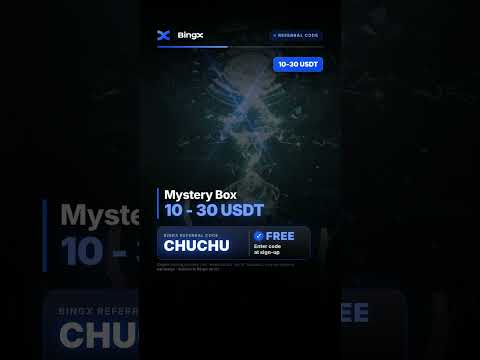
The “bonus” that people tie to referral codes is BingX’s own new-user program in its Rewards Hub. The Rewards Hub showed “Win Up to 5,685+ USDT” and a sign-up Mystery Box worth 10 to 30 USDT (BingX Rewards Hub, checked 1 October 2026). A Mystery Box is a reward with a random value inside a set range.
The New User Tasks are Sign Up, Advanced Identity Verification, First Deposit and First Trade. BingX’s sign-up page also shows maximums of 30 USDT for sign-up, 500 USDT for a deposit and 500 USDT for trading (BingX sign-up page, checked 1 October 2026). It doesn’t say what you must do to reach them. Your own Rewards Hub shows what applies to you.
BingX also offers some users, not all, a futures challenge paid in Trial Fund Vouchers. You can use them as futures margin with your own money, or to offset trading and funding fees. Margin is the money that backs a futures position. Funding fees are small payments between futures traders.
| Cumulative futures volume | Trial Fund Voucher |
|---|---|
| 5,000 USDT | 5 USDT |
| 20,000 USDT | 10 USDT |
| 200,000 USDT | 20 USDT |
| 500,000 USDT | 50 USDT |
| 1,000,000 USDT | 100 USDT |
| 5,000,000 USDT | 500 USDT |
| 150,000,000 USDT | 5,000 USDT |
These seven steps add up to 5,685 USDT, and the top step needs 150 million USDT of volume.
Compare that with fees. On perpetual futures (futures with no expiry date), BingX’s regular taker fee (for orders that fill at once) is 0.05%. So 1,000,000 USDT of volume costs about 500 USDT in fees. By that step, all the vouchers so far add up to 185 USDT.
The rules that decide what you actually get, from the same Rewards Hub page:
- 21 days, once. New User Zone tasks end 21 days after sign-up, and each user can join only once.
- Collect rewards yourself. Rewards for the four basic tasks arrive within 1 hour, and you must collect them manually. Challenge rewards arrive automatically within 1 hour.
- Not all volume counts. Stablecoin-to-stablecoin trades and zero-fee trades don’t count. Neither do non-crypto assets such as stocks, forex, indices and commodities. Trades must be held longer than 1 minute.
- Not all deposits count. On-chain deposits, P2P Trading, Quick Buy and bank deposits count, but internal transfers and crypto gifts don’t. An on-chain deposit is crypto sent over a blockchain. Quick Buy means buying crypto with regular money, such as dollars or euros, for example by bank card. P2P means buying from another user while BingX holds the coins until payment clears.
- Some vouchers carry extra conditions and time limits. Check each reward’s details first.
- One person, one account. Farming rewards with several accounts or devices leads to disqualification and frozen accounts.
To see your rewards in the app, tap your avatar in the top left corner, then My Vouchers.
Which voucher is which, and can you withdraw it?
Bonus, Trial Fund and Rebate vouchers are not cash you can withdraw. You can withdraw the profits you make with a Bonus or Trial Fund Voucher.
| Voucher | What you can use it for | Can you withdraw it? |
|---|---|---|
| Bonus Voucher | Futures margin. Positions opened with it close automatically after 24 hours | No, only the profits |
| Trial Fund Voucher | Futures margin together with your own funds, or to offset trading and funding fees | No, only the profits |
| Rebate Voucher | Trading fee rebates | No |
| Token Voucher | Redeemed for real tokens in your Fund Account, one of your BingX wallets | Yes, once redeemed, the tokens can be withdrawn |
Sources: BingX Rewards Hub (checked 1 October 2026) and BingX voucher guide (checked September 2026).
Some BingX Learn pages show a 9,800+ USDT welcome gift instead (BingX spot fee guide, checked 1 October 2026). Go by the Rewards Hub in your account.
Is a BingX referral code free, and is there free USDT?
Yes, using a referral code is free: the field is optional, and you should never pay anyone for a code. But BingX’s referral rules describe no cash payment to the person who signs up. The extras BingX describes come from the referrer: an optional fee rebate, and sometimes a Partner’s Crypto Box (see “Codes from Reddit or a friend” below). We don’t promise either with CHUCHU.
No code gives you free USDT just for typing it in. The closest thing is the sign-up Mystery Box, worth 10 to 30 USDT, which is part of BingX’s own new-user program. Bigger rewards need deposits and futures trading, and they come mostly as vouchers you can’t withdraw. The 100,000 VST (Virtual USDT) in demo trading is practice money with no real value (BingX demo guide, November 2025).

In this video
Two common claims, next to BingX’s own pages:
| Claim you may see | What BingX’s pages say |
|---|---|
| “This code gives you a 5,685 USDT bonus” | 5,685+ USDT is the Rewards Hub ceiling for BingX’s own tasks, mostly futures vouchers. The rules don’t mention codes |
| “This code cuts your fees by half” | Not as BingX describes it. No code changes BingX’s fee rates. A referrer can only pass back part of their own commission, which starts at 10% for regular users and goes up to 50% for affiliates. Ask for any rebate in writing, then check your fee history |
Don’t open extra accounts to collect rewards twice, either. BingX’s Customer Agreement allows one active account per person (BingX Customer Agreement, checked September 2026).
Can you add a BingX referral code after sign-up?
Yes, if you haven’t made any deposit and haven’t invited anyone yet. BingX counts crypto sent from other platforms and Buy Crypto purchases as deposits (BingX sign-up FAQ, May 2023, checked 1 October 2026). If you’ve done either, BingX can’t add a code to your account.
The FAQ names no time limit, only those two conditions. To add CHUCHU:
- In the app, tap the avatar on the home screen, then the arrow next to your avatar to open Profile Settings. Tap My Referrer.
- On the web, hover over the avatar, select Account & Security, and scroll down to My Referrer.
- Type CHUCHU and confirm before you make your first deposit.

In this video
How do you check or change your BingX referral code?
You can’t change it: BingX says a bound referral code can’t be changed or removed. To check where you stand, open My Referrer, the section BingX’s FAQ names for referral codes. If it still offers a box to add a code, your account can still take one.
If you’re not sure which code your account carries, ask BingX support from inside the app or website. In the app, tap your avatar, then Customer Support and Chat Online (BingX support guide, January 2022).
BingX referral code not working: common causes and fixes
Usually it’s a typo, a deposit made before adding the code, or an account that’s already bound.
| What you see | Likely cause | What to do |
|---|---|---|
| Code rejected | A typo or an extra space | Retype CHUCHU: six capital letters, C-H-U-C-H-U. Or start again from our sign-up link |
| The field shows a different code | You opened someone else’s link | Open bingx.com yourself and check the field before you tap Sign Up |
| My Referrer won’t take a code | You already deposited, bought crypto or invited a friend | BingX can’t add a code to this account |
| Sign-up blocked for your region | You’re in a country BingX doesn’t serve | BingX can’t serve you there. Don’t use a VPN |
| No Mystery Box or tasks | Over 21 days since sign-up, you already took part once, or tasks differ in your region | Complete Advanced KYC, then collect rewards manually |
| Task volume or deposit not counting | Zero-fee or stablecoin trades, trades held 1 minute or less, internal transfers or gifts | See the Rewards Hub rules above |
If none of these fit, contact BingX support from inside the official app or website. Never share your password or 2FA code with anyone who claims to be support.
Codes from Reddit or a friend: which BingX code should you use?
Pick a code from a source you trust. As far as BingX’s pages show, the new-user rewards are the same with any code or none. Two things can differ. A referrer can share a fee rebate through Earn Crypto Together. BingX Partners can also send their own referees Crypto Boxes. These are gifts paid out when you finish a task such as KYC, a deposit or a trade (BingX Crypto Box guide, December 2025). Those come from the referrer, not from BingX’s new-user program. We don’t promise either with CHUCHU.
Whoever’s code you pick, run these checks first:
- Never pay for a code. Referral codes cost nothing to share.
- Ignore fixed bonus promises. A set amount promised for one code isn’t in BingX’s referral rules. Check the Rewards Hub instead.
- Check promised rebates. Get them in writing, then check your fee history after your first trade.
- Only sign up on the real site. Type bingx.com yourself, or check the address bar before you enter anything.
- Choose once. A bound code can’t be changed later.

In this video
Note (4 October 2026): this video says entering CHUCHU links your account to BingX’s standard New User Zone rewards. BingX’s Rewards Hub rules don’t mention referral codes, and its sign-up page shows the same offer without a code. So don’t count on CHUCHU for those rewards. The video also says every code works the same way. As explained above, a referrer can still share a fee rebate or send Crypto Boxes. Go by the rules on this page.
Who can’t use BingX? Restricted countries and rewards by region
BingX does not accept customers from its restricted list, which includes the US, the UK and Canada. A referral code doesn’t change this. BingX says the list can change and may vary by service.
| Region | Can you use BingX? | Why |
|---|---|---|
| United States, including US territories | No | Restricted list. The Customer Agreement also bars US and Canadian users |
| United Kingdom | No | Restricted list |
| Canada | No | Restricted list and Customer Agreement |
| Netherlands | No | The only EU country on the list |
| Other EU countries | Not on the restricted list, but BingX has no MiCA licence | BingX EU’s application in Austria was still under review in June 2026. BingX EU says it intends to serve the EU once authorised (MiCA update, checked 4 October 2026). Check which services BingX offers in your country before you deposit. You can’t count on the protections MiCA gives customers of authorised firms |
| Singapore, Hong Kong, Macau, Mainland China, Panama | No | Restricted list |
| Afghanistan, Cambodia, Laos, Myanmar, Cuba, Iran, North Korea, Burundi, Central African Republic, DR Congo, Somalia | No | Restricted list |
| Crimea, Donetsk and Luhansk regions of Ukraine | No | Restricted list |
| Countries not on the list | Yes, but rewards differ | Rewards Hub tasks and benefits vary by region and are set after Advanced KYC |
Sources: BingX Disclaimer (December 2023 version, checked 1 October 2026), MiCA update (June 2026, checked 4 October 2026) and the Customer Agreement (checked September 2026).
If you live in a country BingX serves but can’t find the app, you can use the BingX website or its web app instead (BingX app guide, January 2026). If your country is on the restricted list, the website is closed to you too. For who runs BingX, see our BingX exchange guide.
BingX referral commission: how referrers are paid
BingX pays referrers a share of their friends’ trading fees, from spot and futures trading. Spot trading means buying and selling the coins themselves.
- Regular users join through Invite to Earn, BingX’s referral page. They start at Lv1 with 10% and reach Lv2, with 20%, after inviting 10 friends who sign up and trade (BingX referral program, checked 1 October 2026).
- Lv2 and above also earn indirect commission. It comes in when your valid referees invite friends of their own.
- Commission lands in your Fund Account. Spot commission is settled daily, at 24:00 (UTC+8) for the previous day (BingX spot referral notice, July 2021).
- Earn Crypto Together lets you pass part of your commission to friends as a trading fee rebate. You set it under Invite to Earn, then Other Referral Codes.
- Affiliates can earn up to 50%, with commissions issued daily (BingX affiliate program, checked September 2026). Once you become a partner, the Partner Hub dashboard replaces Invite to Earn for your referrals (Partner Hub FAQ, October 2025).
BingX says it may adjust commission ratios and reserves the right to change the program rules.
Where to find your own BingX referral code
In the app, tap your avatar on the home screen, then Invite to Earn. On the web, open More, then Invite to Earn. Tap Invite Now to create a referral link, a poster or a QR code you can share.
BingX fees and safety settings before your first deposit
Regular BingX users pay 0.10% per spot trade and 0.02% or 0.05% on perpetual futures, and a referral code doesn’t change that. A maker adds an order to the order book, the list of waiting buy and sell orders, and pays the lower futures rate. A taker fills an order that’s already there.
| Fee | Regular user rate | Notes |
|---|---|---|
| Spot, maker / taker | 0.10% / 0.10% | VIP 0, the regular level (BingX spot fees, May 2026, checked 1 October 2026) |
| Perpetual futures, maker / taker | 0.02% / 0.05% | Fee schedule, checked 1 October 2026 |
| Standard Futures | 0.045% | Charged when you close (fee schedule, checked September 2026). BingX calls this simpler futures product beginner-friendly |
| Crypto deposit | Free | Network fees may apply (BingX deposit guide, October 2025) |
Funding fees, settled three times a day on perpetual futures, pass between long traders, who bet the price will rise, and short traders, who bet it will fall. BingX says they don’t go to the exchange. Every futures trade, standard or perpetual, can still lose you money fast.
Set these up before your first deposit:
- Turn on 2FA with Google Authenticator, email or SMS.
- Set an anti-phishing code. BingX then shows your chosen code in its genuine emails, so a fake one stands out (BingX anti-phishing guide, October 2024).
- Use a withdrawal whitelist, so withdrawals can go only to addresses you saved (BingX security upgrade, August 2024).
- Expect a 24-hour pause. After you change a verification option, BingX blocks withdrawals for 24 hours (BingX sign-up FAQ, May 2023).
Our guide on whether BingX is safe covers its monthly reserve reports and its 2024 hack.
What to do next
- Create your account from the official BingX website or app and type CHUCHU in the Referral Code field before you tap Sign Up.
- Complete Advanced KYC, then turn on 2FA, set an anti-phishing code and add a withdrawal whitelist.
- Open the Rewards Hub within 21 days of sign-up, collect each reward manually, and read its rules before you trade futures.
More BingX referral code videos
YouTube titles are written for search, and the new-user rewards come from BingX, not from the code. Note (4 October 2026): one video says codes don’t differ, and another ties CHUCHU to BingX’s fee-rebate feature. As explained above, codes can differ, but we don’t promise a rebate or gift with CHUCHU.




Frequently asked questions
What is the BingX referral code?
Our BingX referral code is CHUCHU. Type it in the optional Referral Code field when you sign up, or add it later under My Referrer before any deposit. It records us as your referrer. It doesn’t change BingX’s fee rates, and we don’t promise a fee rebate or any extra reward with it.
Does a BingX referral code give you a bonus?
No extra bonus is tied to our code. BingX’s new-user rewards, up to 5,685+ USDT, come from its Rewards Hub, whose rules don’t mention referral codes. They’re mostly vouchers, and the top amounts need huge futures volume. Bonus and Trial Fund vouchers can’t be withdrawn. Futures are high-risk, and rewards vary by region.
Can I add a BingX referral code after sign-up?
Yes, if you haven’t made any deposit, including crypto sent from another platform or Buy Crypto, and haven’t invited anyone. Open My Referrer: in the app through your avatar and Profile Settings, on the web under Account & Security. Once a code is bound, it can’t be changed or removed.
Can I change my BingX referral code?
No. Once your BingX account is bound to a referral code, BingX says it can’t be changed or removed. That’s why it pays to pick a code from a source you trust, and to read the rebate line on the sign-up form, before you finish sign-up.
Can I withdraw BingX welcome rewards?
No, not the Bonus and Trial Fund vouchers. You can withdraw the profits you make with them. Positions opened with a Bonus Voucher close automatically after 24 hours. These vouchers are for futures, which can lose you money fast. Token Vouchers are different: they turn into real tokens you can withdraw.
Can US or UK residents use a BingX referral code?
No. BingX doesn’t accept customers from the US, the UK, Canada, the Netherlands and other places on its restricted list, so a code doesn’t help there. Don’t use a VPN or someone else’s documents: BingX only verifies identities from countries it supports.
Is the BingX referral code free?
Yes. The Referral Code field is optional, and you should never pay anyone for a code. A code doesn’t turn into free cash, though: BingX’s new-user rewards are mostly vouchers. If anyone asks you to send crypto to “activate” a bonus, it’s a scam.
Every BingX rule and number in this guide comes from BingX’s own pages, linked where it appears. We re-checked the Rewards Hub, the referral program, the sign-up FAQ, both sign-up pages, fees and the restricted list on 1 October 2026. We checked MiCA status again on 4 October 2026.
Crypto prices move fast and you can lose money. This guide is for education, not financial advice. See our disclaimer.