Disclosure: YODA COIN may earn a commission if you sign up with our referral code or link, at no extra cost to you. Read our disclaimer.

In this video
Note (1 October 2026): this video says that with 6969 you and your referrer both earn part of your fees. CoinEx lets each referrer set the friend’s share, and 6969 comes with no promised share. The written rules below give the details.
What is the CoinEx referral code?
A CoinEx referral code is an invite code that links a new account to the user who shared it. Ours is 6969. You enter it once, on the email sign-up form, under a link that reads Got referral code? (Optional) (CoinEx sign-up page, checked 4 October 2026).
Two terms first. USDT is Tether, a stablecoin (a coin pegged to the US dollar). CET is CoinEx Token, CoinEx’s own coin. CoinEx pays referral rewards and fee rebates in CET.
The link has three effects, all set by CoinEx’s referral reward rules (updated June 2026, checked 1 October 2026):
- We earn a share of your trading fees. CoinEx pays the referrer a percentage of the fees you pay, in CET, usually the next day. It comes out of fees you pay anyway, so the code adds nothing to your fees.
- A friend share is possible, but the referrer sets it. CoinEx says both sides “can earn a portion” of the fees you generate. The referrer decides how much of that goes to the friend.
- It runs for 12 months. Referral rewards halve after 6 months and stop after 12 months, for both sides.
What the code does not do matters just as much. It doesn’t lower CoinEx’s fee rates. And the newcomer tasks in CoinEx’s Reward Center (its page of reward tasks) don’t list a referral code as a condition (checked 1 October 2026).
Referral code, invite code, promo code, voucher code: what each name means
On CoinEx, referral code, invite code, invitation code and promo code all mean the code you type once at sign-up. Vouchers and C-Box codes are different things, and they live elsewhere.
| Term you see | What it really is | Where it goes |
|---|---|---|
| Referral code | A short code created by a CoinEx user, for example 6969 | The box behind Got referral code? (Optional) on the email sign-up form |
| Invite code / invitation code | Another name for the same code. CoinEx’s own guides use both words | The same field, or the Account Overview pop-up within 7 days |
| Referral link | A sign-up web address with the code inside. Ours ends in refer_code=6969 | Opens CoinEx’s sign-up page |
| Promo code / bonus code | Usually the same referral code, renamed by other websites | The same referral code box |
| Voucher / cashback reward | A fee rebate CoinEx credits after you finish a Reward Center task | Reward Center, under My Rewards. Event vouchers appear under Vouchers. You don’t type them anywhere |
| C-Box code | A code another user sets to share a crypto gift box | The C-Box page, under Account. Not the sign-up form |
Sources: registration guide (May 2026), Reward Center introduction (July 2026) and C-Box guide (July 2026).
How do you add a referral code in CoinEx when you sign up?
Click Got referral code? (Optional) on the sign-up form, type 6969, then click Sign Up. Only step 3 involves the code. The steps follow CoinEx’s web registration guide (May 2026) and the live sign-up page (checked 4 October 2026).
- Open the official site or app. Type www.coinex.com yourself. On the App Store, the official app is “CoinEx: Buy Bitcoin & Crypto” by Coinex Global Limited (CoinEx fake app guide, July 2026).
- Click Sign Up and use your email. Enter your email address and a strong password with upper and lower case letters, numbers and symbols.
- Add 6969. Under the password box, click Got referral code? (Optional) to open the code box, then type 6969. If you opened our sign-up link, this line doesn’t appear at all. CoinEx counts sign-ups through a referral link (referral reward rules, June 2026). No CoinEx page explains the hidden box, though, so check afterwards.
- Enter the email verification code. CoinEx sends it to your inbox, and registration is then complete.
- Secure the account before you deposit. Bind 2FA (two-factor authentication, a second login code). Set an anti-phishing code, a word CoinEx shows in its real emails.
If you choose Sign up with Google or Apple, the form has no code box. CoinEx says to open the referrer’s invitation link first in that case (registration guide, May 2026). Its guide for adding a code later doesn’t mention Google or Apple accounts, so email sign-up is the safest route.
KYC (the identity check exchanges run) is optional for basic trading. Unverified accounts can trade spot (buying coins outright), margin (trading with borrowed funds) and futures. Futures are contracts that bet on a coin’s price going up or down without owning it. Unverified accounts can withdraw only 10,000 USD per 24 hours, and Primary ID verification raises that to 1,000,000 USD (CoinEx ID verification guide, February 2026).

In this video
Note (1 October 2026): this video repeats the “you both earn” line. See the note under the first video.
What do you actually get with CoinEx referral code 6969?
You get a referral link to us, and no extra payout that CoinEx promises for this code. CoinEx lets a referrer pass part of the fee reward to the friend, but the referrer chooses that share.
This is how the friend side works, according to CoinEx (Introduction to Referral Reward, updated June 2026, checked 1 October 2026):
- When a referrer generates a code, CoinEx asks them to set a “Friend referral ratio”.
- CoinEx suggests referrers “share rewards with friends by adjusting the referral ratio”.
- Both shares come from one pool. CoinEx’s referral page says the two of you “can share up to 40% rebate” (checked 1 October 2026).
So the friend’s share depends on the code you use. We don’t publish a friend ratio for 6969, so don’t count on any CET back from it. If a share of fees back matters to you, pick a code whose owner states the ratio in writing.
These rules are the same for every code:
| Rule | What CoinEx says |
|---|---|
| Who counts as a referee | Users who sign up with the code or link, add it within 7 days, or claim the referrer’s first C-Box before creating an account |
| Payout | In CET, usually credited the next day |
| How long it lasts | Halves after 6 months and ends after 12 months, counted from the referee’s sign-up |
| Fees that earn nothing | Fees refunded by a cashback reward, market makers’ trades, and the AMM profit part of AMM trades |
| Sub-accounts | Trades from a referee’s sub-accounts (extra accounts under the main one) also count |
| Self-referral | Referring yourself with several accounts is banned, and CoinEx cancels both sides’ rewards |
Sources: referral reward rules (June 2026) and FAQs about Referral Rewards (July 2026), checked 1 October 2026. AMM markets are pairs priced by a pool of coins (an automated market maker) instead of an order book. Market makers are large traders with their own fee rates.
One more catch: while a cashback reward is running, CoinEx says fees from that period don’t count toward referral rewards. Counting restarts the day after the cashback is used up (Reward Center introduction, July 2026).
So why use a code at all? It costs nothing and doesn’t change your fee rate, shown in the fees section below. Using 6969 supports this site.
CoinEx welcome bonus: how the up to 100 USDT newcomer rewards work
The CoinEx welcome bonus is a set of three newcomer tasks worth up to 100 USDT in total. CoinEx pays them as fee rebate rewards in CET, not as cash. This is what the CoinEx Reward Center showed on 1 October 2026:
| Task | What you must do | Reward |
|---|---|---|
| Deposit | Deposit a total of at least 40 USDT | 40 USDT fee rebate, paid in CET |
| Spot trading | Spot trade a total of at least 50 USDT | 30 USDT fee rebate, paid in CET |
| Futures trading | Futures trade a total of at least 300 USDT | 30 USDT fee rebate, paid in CET |
CoinEx’s blog described the same 100 USDT newcomer reward in August 2025 (CoinEx blog, 4 August 2025).
“Up to” is the total of all three tasks. You only receive the rewards for the tasks you finish. The task details add these rules:
- Activate the task. The cards say “Log in to activate”, or “Register to activate” on the Newcomer Zone page.
- Each task has a deadline. CoinEx gave 7 days per task in September 2026 (CoinEx Reward Center, September 2026). Your exact deadline shows after you log in.
- Only real deposits count. On-chain deposits (crypto sent over a blockchain) count. So do P2P purchases (buying from another user), third-party purchases and Quick Buy, CoinEx’s page for buying crypto with local money. Transfers between users and C-Box transfers don’t.
- Both futures types count. Linear contracts (settled in a stablecoin such as USDT) and inverse contracts (settled in the coin itself) both count.
- No bulk accounts or API accounts. CoinEx cancels eligibility for mass-registered accounts. Accounts that trade through its API (programming interface) can’t join.
- ID may matter. Unverified accounts can’t join promotional events such as mining and airdrops. P2P trading itself needs Primary ID verification, and so do “other in-site activities” (withdrawal limit guide, June 2026). The task pages don’t say whether ID is needed.
Is the CoinEx welcome bonus a new-user-only offer?
Yes. CoinEx labels all three tasks as newcomer tasks, and its blog offers them to new users. Each task has its own deadline, so read it in the task details before you deposit.
How a fee rebate reward pays out
None of these rewards is cash you can withdraw up front. A fee rebate, which CoinEx calls a Cashback Reward, pays back trading fees you have already paid (Reward Center introduction, July 2026):
- It activates as soon as you receive it.
- During its validity period, CoinEx refunds eligible fees to your Spot Account in CET, every hour.
- A reward may cover spot and futures, spot only, or futures only.
- At the end of its fixed term it expires, with any amount you haven’t used.
So the full value only reaches you if you pay that much in fees in time. At the standard 0.2% spot fee, 30 USDT of fees takes about 15,000 USDT of spot trades (our arithmetic). Don’t trade more than you planned just to use a rebate.

In this video
This video’s YouTube title puts the code next to the 100 USDT. The newcomer rewards come from CoinEx, not from the code.
Note (1 October 2026): this video repeats the “you both earn” line. See the note under the first video.
Is there a free CoinEx bonus code or voucher code?
No. No code hands you free, withdrawable USDT on CoinEx. The newcomer rewards above are task-based fee rebates, and there is no voucher code to type for them.
CoinEx also runs time-limited events, each with its own terms:
- Deposit Bonus events. You register for the event, then make on-chain deposits. Rewards come from a limited pool, ranked by net deposit and by who meets the minimum first, so joining doesn’t guarantee a reward. Winners get crypto or vouchers within 7 business days (Deposit Bonus terms, updated September 2026).
- Futures trial funds. These work only as futures margin. You can claim the profit only after the fund is used up and its conditions are met. Trial positions use leverage and can still be liquidated or closed by the system (trial fund guide, July 2026).
- Token airdrops. Some Reward Center tasks pay coins instead of a rebate. These land in your Spot Account and can be traded or moved freely (Reward Center introduction, July 2026).
None of these needs a code, as far as their pages show. Check each event’s own page in the CoinEx Announcement Center.
CoinEx’s own fraud guide lists the usual tricks (Guidelines for Preventing C-Box Fraud, July 2026, checked 1 October 2026). It names lines such as “Use my referral code for a 100% deposit match” and “Deposit $X and get $X back” as scams. CoinEx says it never hands out bonuses or deposit matches by direct message. Its official campaigns appear only in the CoinEx Announcement Center.
What is a CoinEx C-Box code?
A CoinEx C-Box code is a code another user sets, so you can claim the crypto gift box they sent. It isn’t a promo code from CoinEx, and it doesn’t go in the sign-up form. This is how C-Box works (C-Box guide, July 2026, checked 1 October 2026):
- Two kinds. A Normal C-Box is claimed with your email from a shared link. A C-Box via Code is claimed by typing the sender’s code on the C-Box page.
- One claim each. Each C-Box can be claimed only once per account.
- It expires. The sender picks 2, 3 or 5 days. Unclaimed coins go back to the sender.
- New users get 7 days. Claim with an email that has no CoinEx account, and you must sign up within 7 days.
- Senders have limits. They need 2FA and can send up to 2,000 USD of C-Boxes a day.
C-Box also affects referrals. Say the first C-Box you claim, before you create an account, comes from another user. CoinEx then counts that user as your referrer (FAQs about Referral Rewards, July 2026). So decide which referrer you want before you claim a gift box with a new email.
C-Box is only a gift tool. Once a box is claimed, the coins move at once, and CoinEx is generally unable to recover them. Any request to send a C-Box to “verify” an account or collect a “rebate” is a scam.

In this video
Can you add a CoinEx referral code after signup?
Yes, within 7 days of registration. After 7 days, CoinEx no longer lets you add one (How to Re-enter a Referral Code, July 2026, checked 1 October 2026).
On the website:
- Log in at www.coinex.com, open the menu under your Avatar (top right) and choose Account Overview.
- Click Click to enter in the upper right corner.
- Type 6969 and click Confirm.
In the app:
- Log in and tap your Avatar (top left) to open Personal Center.
- Tap the banner Forgot to enter referral code? Click to add.
- Type 6969 and tap Confirm.
Used our sign-up link? Do the check in the warning above. If the entry is missing and the account is over 7 days old, no code can be added. Google or Apple sign-ups missing the entry can ask CoinEx support.
Adding a code late has one catch. CoinEx counts the 12-month reward period from your registration date, not from the day you add the code (FAQs about Referral Rewards, July 2026).

In this video
Note (1 October 2026): this video repeats the “you both earn” line. See the note under the first video.
CoinEx referral code not working? Common causes and fixes
Usually the code box was folded or hidden, the account is too old, or the code has a typo.
| What you see | Likely cause | What to do |
|---|---|---|
| No code box on the sign-up form | The box is folded | Click Got referral code? (Optional) under the password |
| No code box after opening our link | CoinEx hides the box on referral links | Sign up normally. Within 7 days, check Account Overview: if Click to enter shows, add 6969 |
| No Click to enter, account under 7 days old | CoinEx doesn’t document this. A code may already be linked | Ask CoinEx support which referrer your account has |
| No code box with Google or Apple | Google and Apple sign-ups have no code box | Use email sign-up, or open the referrer’s invitation link first, as CoinEx advises |
| Code rejected | A typo or an extra space | Retype 6969: four digits, six-nine-six-nine. Or use our sign-up link |
| No “Click to enter” in Account Overview | The account is more than 7 days old | CoinEx no longer lets you add a code to it |
| Linked to someone else | You claimed another user’s C-Box before signing up, or entered another code | CoinEx counts that person as your referrer. We found no CoinEx guide on switching referrers |
| No CET from the referral | The friend share depends on the code, and 6969 promises none. Fees covered by a cashback reward also earn nothing | Check the code owner’s written terms |
| Newcomer task not counting | A deposit by internal transfer or C-Box, a missed deadline, or an API account | Use an on-chain, P2P, third-party or Quick Buy deposit, and check the task details |
If none of these fit, submit a ticket to CoinEx support from the official site. Never share your password or 2FA code with anyone who claims to be support.
Codes from Reddit or a friend: which CoinEx code should you use?
Pick a code from a source you trust, and read its terms. CoinEx doesn’t rank codes, so no code is officially the “best” one. Fees, the 7-day window and the 12-month period are the same for every code. Only the friend share differs.
Whoever’s code you pick, run these checks first:
- Never pay for a code. Referral codes are free to share.
- Ignore fixed cash promises. CoinEx lists “use my referral code for a 100% deposit match” as a scam line.
- Type the address yourself. Reddit and Telegram links can lead to fake sites. CoinEx says to use only its official site, www.coinex.com (CoinEx phishing guide, September 2026).
- Never send a C-Box to “activate” a code. A real code needs no transfer.

In this video
Note (1 October 2026): this video repeats the “you both earn” line, so see the note under the first video. It also says no code lowers CoinEx’s fee rates, which matches CoinEx’s fee table. A referrer can still choose to pass part of their reward back in CET.
Who can’t use CoinEx? Prohibited countries and regions
CoinEx doesn’t serve people in the places on its prohibited list, which includes the United States, Canada, the United Kingdom and the EEA. A referral code doesn’t change this.
| Region | Can you use CoinEx? | Source |
|---|---|---|
| United States | No. It is on the prohibited list. On 1 October 2026, CoinEx’s site showed a US IP address a notice that it can’t serve that location | Prohibited Jurisdictions, updated 3 September 2026 |
| Canada, United Kingdom | No. Both are on the prohibited list | Same page |
| EEA: the 27 EU countries plus Iceland, Liechtenstein and Norway | No. CoinEx ended EEA services on or before 1 July 2026 because of MiCA, the EU’s Markets in Crypto-Assets rules. New EEA sign-ups are suspended, and existing users can still withdraw | CoinEx EEA announcement, 22 June 2026 |
| Switzerland, Mainland China, Hong Kong SAR, Kazakhstan | No | Prohibited list |
| Iran, North Korea, Cuba and places under full sanctions or embargoes | No | Prohibited list |
| Other countries | Yes, if your country isn’t on the list and your local law allows it. CoinEx can update the list without notice, so check it first | Prohibited list |
CoinEx also checks existing accounts and gradually limits those located in restricted regions (CoinEx announcement, 25 June 2026).
How CoinEx pays referrers: referral commission and the Ambassador program
CoinEx pays referrers a share of their friends’ trading fees for 12 months. Ambassadors get a higher rate for as long as they hold the role.
Regular referral rewards follow your VIP level (FAQs about Referral Rewards, July 2026, checked 1 October 2026):
| VIP level | Basic referral ratio |
|---|---|
| VIP 0 (regular user) | 15% |
| VIP 1 / VIP 2 | 20% / 25% |
| VIP 3 / VIP 4 | 30% / 35% |
| VIP 5 | 40% |
- Rewards are paid in CET and usually arrive the next day.
- They halve after 6 months and stop after 12 months, counted from the friend’s sign-up.
- Your VIP level depends on your CET holdings, total assets or 30-day trading volume (CoinEx VIP fees, June 2026).
To create your own code on the website, open More, then Referral. Click Default referral code, then Generate referral code, and set the Friend referral ratio (Introduction to Referral Reward, June 2026).
The CoinEx Ambassador program (CoinEx’s affiliate program)
CoinEx doesn’t run a program called “affiliate”. Its main partner route for promoters is the CoinEx Ambassador program (Introduction to CoinEx Ambassador, June 2026):
- Higher rate. Ambassadors get at least 40%, more for top performers, settled daily in USDT.
- No 12-month limit. Rewards last while the status is active, then standard rules apply again.
- Spot, margin and futures. Rewards come from referees’ spot, margin and futures fees, with no upper limit.
- No salary. CoinEx pays Ambassadors through referrals only (FAQ About CoinEx Ambassador, March 2026).
- Custom codes. Ambassadors can create a custom referral code and set its friend referral ratio.
To apply, you need a crypto community, social media channel, events record or content site (Apply for CoinEx Ambassador, June 2026). CoinEx reviews applications within 7 working days. Ambassadors act in their own name and can’t make promises on CoinEx’s behalf.
CoinEx also runs an X Creator Program for crypto creators on X with 5,000+ followers and an average post reach of at least 1,000. It offers a monthly USDT grant and “higher-than-market rebates”, and judges creators partly on referral success (CoinEx Creator Program, checked 4 October 2026).
CoinEx fees and safety settings before your first deposit
A referral code doesn’t change your fee rate. These are CoinEx’s standard VIP 0 rates (CoinEx VIP fees, updated June 2026, checked 1 October 2026).
| Fee | VIP 0 rate | Notes |
|---|---|---|
| Spot trading | 0.2% | The same for makers and takers. A maker adds an order to the order book, the list of waiting orders; a taker fills one |
| Spot with CET deduction | 0.16% | Turn on “Use CET as Fees” for a 20% discount. Not for futures or AMM markets |
| Futures | 0.03% maker / 0.05% taker | Funding fees also apply |
| AMM markets | 0.3%, or 0.1% for stablecoin pools | VIP rates and the CET discount don’t apply |
| Crypto withdrawal | Network (miner) fee | Free between CoinEx accounts (withdrawal FAQ, March 2026) |
Spot fees fall to 0.1% at VIP 5. A funding fee is a payment between long traders (betting the price rises) and short traders (betting it falls). It is usually settled every 8 hours, and more often when prices swing hard (CoinEx funding fees, September 2026).
Set these up before your first deposit:
- Turn on 2FA. CoinEx accepts SMS, an authenticator app or a passkey. After you change or reset 2FA, withdrawals are blocked for 24 hours (CoinEx 2FA guide, June 2026).
- Set an anti-phishing code. CoinEx shows your chosen code in its genuine emails, so a fake one stands out (CoinEx phishing guide, September 2026).
- Set a withdrawal password. It is a 6-digit code, added after 2FA (withdrawal password guide, December 2025).
CoinEx publishes Proof of Reserves, a report showing it holds at least as much of each coin as users deposited. Its 25 August 2026 snapshot showed reserve ratios of 105.17% for BTC, 100.35% for ETH and 104.33% for USDT. A 104.33% ratio means 104.33 USDT held for every 100 USDT owed to users (CoinEx Proof of Reserve update, 26 August 2026). These are CoinEx’s own figures, not government deposit insurance.
CoinEx was hacked on 12 September 2023, when a leaked private key let attackers drain several hot wallets (wallets kept online). CoinEx said its User Asset Security Foundation would bear the losses (CoinEx hack update, September 2023).
What to do next
- Type www.coinex.com yourself, click Got referral code? (Optional) and enter 6969 before you click Sign Up. Or use our sign-up button, then check Account Overview within 7 days.
- Turn on 2FA, set an anti-phishing code and a withdrawal password, then send a small test deposit on the matching network.
- Open the Reward Center or the Newcomer Zone page and activate each task you want. Read its rules and deadline, and skip any futures task you don’t fully understand.
More CoinEx referral code videos
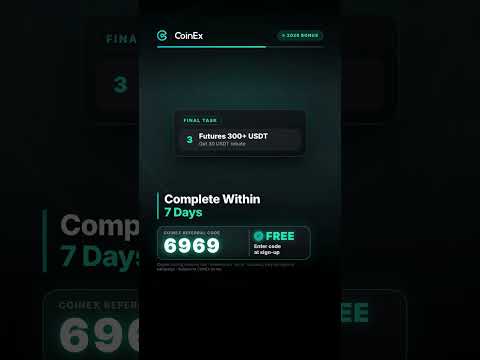
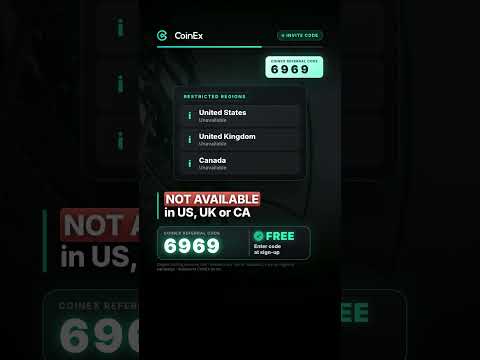
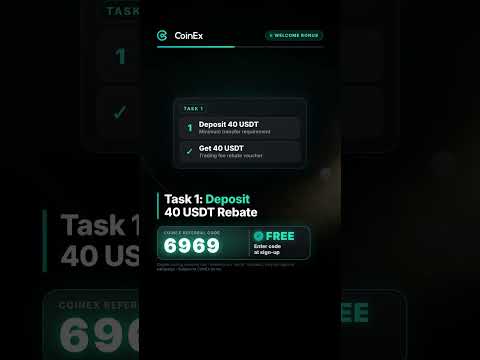
Full walkthroughs and short answers from the same series. Each thumbnail opens the video on YouTube. Some YouTube titles mention a bonus next to the code. The newcomer rewards come from CoinEx, not from the code. Several of these videos also say 6969 lets you earn part of your own fees: see the note under the first video.








Frequently asked questions
What is the CoinEx referral code for 2026?
Our CoinEx referral code is 6969. At email sign-up, click Got referral code? (Optional) and type it, or add it in Account Overview within 7 days. It links you to us as your referrer. It doesn’t lower your fees, and 6969 comes with no promised fee rebate.
Does a CoinEx referral code give you a bonus or a voucher?
No fixed bonus, and there is no free voucher code. CoinEx lets each referrer pass part of the fee reward to the friend, in CET, so codes can differ, and 6969 promises no share. The newcomer tasks, worth up to 100 USDT in fee rebates, are CoinEx’s separate program. Futures tasks are high-risk.
Can I add a CoinEx referral code after signup?
Yes, within 7 days of registering. On the website, open Account Overview from your Avatar menu, click Click to enter, type the code and confirm. In the app, tap your Avatar, then the add-a-code banner. After 7 days, CoinEx no longer lets you add one.
Does CoinEx give a welcome bonus?
Yes, as fee rebates. New users can earn up to 100 USDT across three Reward Center tasks: deposit 40 USDT, spot trade 50 USDT and futures trade 300 USDT. Rewards refund trading fees in CET, aren’t withdrawable cash and expire. Futures are high-risk, and the task pages don’t list a referral code as a condition.
What is a CoinEx C-Box code?
A C-Box code is a code another CoinEx user sets, so you can claim the crypto gift box they sent. You type it on the C-Box page, not at sign-up. Each box can be claimed once and expires after 2 to 5 days. Never send a C-Box to anyone to verify an account or get a reward.
How do I get my own CoinEx referral code?
Log in on the website, open More, then Referral. Click Default referral code, then Generate referral code, and set the Friend referral ratio. You and your friends share 15% to 40% of their fees in CET, based on your VIP level. Your Friend referral ratio sets the split. Rewards halve after 6 months and stop after 12.
Can US, UK or EU residents use CoinEx?
No. The United States, Canada, the United Kingdom and the EEA are on CoinEx’s prohibited list, and CoinEx ended EEA services by 1 July 2026. A referral code doesn’t change this. Don’t use a VPN or false details: CoinEx says it may freeze funds and close the account.
Every CoinEx rule and number in this guide comes from CoinEx’s own pages, linked where it appears. The referral rules, newcomer tasks, fees and prohibited list were re-checked on 1 October 2026, and the sign-up form on 4 October 2026.
Crypto prices move fast and you can lose money. This guide is for education, not financial advice. See our disclaimer.